Play Gnome Deep Unblocked
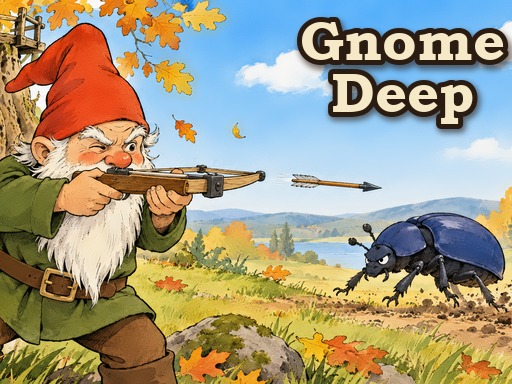
Play Gnome Deep free in your browser — no download, no sign-up. Works on Chromebooks, laptops and phones.
Gnomes are digging under an old oak stump for the lost Gnome King's hoard, and every pest can hear them. Dig louder for more gold and a faster dig, but the louder the digging, the more beetles, slugs, crows and worse come for the burrow. Crossbow gnomes, a catapult, an old owl and a cousin with a shovel hold the walls. Every new layer wakes a boss that blocks the tunnel. Play Gnome Deep free on TabArcade — a strategy game that runs right in your browser with no downloads or sign-ups, on Chromebooks, laptops and phones.
defencefantasyidletowerminingKids FriendlyNo BloodTap Louder or Quieter to set how noisy the digging is. Tap the upgrade cards to buy. Tap a pest to see what it is. Plays on phones held either way. Keyboard: up and down arrows for the noise, 1 to 5 for the tabs, Q W E to buy, F for speed, G for a gold rush, P or Space to pause, M for sound on or off, ? for options.
Tip: click the Fullscreen button for the biggest play area, especially on a Chromebook. If the game seems stuck loading, wait a few seconds and refresh once — browser games stream their assets on first load.
Gnome Deep FAQ
Is Gnome Deep free to play?
Yes. Gnome Deep is completely free to play on TabArcade. There are no downloads, no installs and no sign-up — the game loads in your browser and you can start playing right away.
Is Gnome Deep unblocked at school?
Gnome Deep runs in a normal browser tab with nothing to install, so it works anywhere you can open TabArcade — including school Chromebooks on most networks.
Can I play Gnome Deep on a Chromebook?
Yes. Gnome Deep runs in a regular browser tab, so it works on school and home Chromebooks as well as Windows, Mac and Linux computers. Just open the page and press play — nothing needs to be installed.
Does Gnome Deep work on phones and tablets?
Gnome Deep plays in any modern mobile browser, but it is best enjoyed with a keyboard and a larger screen, for example on a Chromebook or laptop. Use the fullscreen button above the game for more room.